

How to manage your undelivered parcels with Happy-Post?
Has your parcel not been delivered? A parcel may be returned for a number of reasons, including a failed delivery attempt, the recipient being absent or no longer living at the address provided, a damaged parcel, missing documents, prohibited goods, customs refusal, refusal by the recipient, or other circumstances.
Whatever the reason, Happy-Post allows you to choose the solution that best suits your undelivered parcel: retry delivery to the same address, send it to a new address, or have it returned to you. Follow the steps below to arrange the re-shipment of your parcel.
Step 1: Access your undelivered parcels
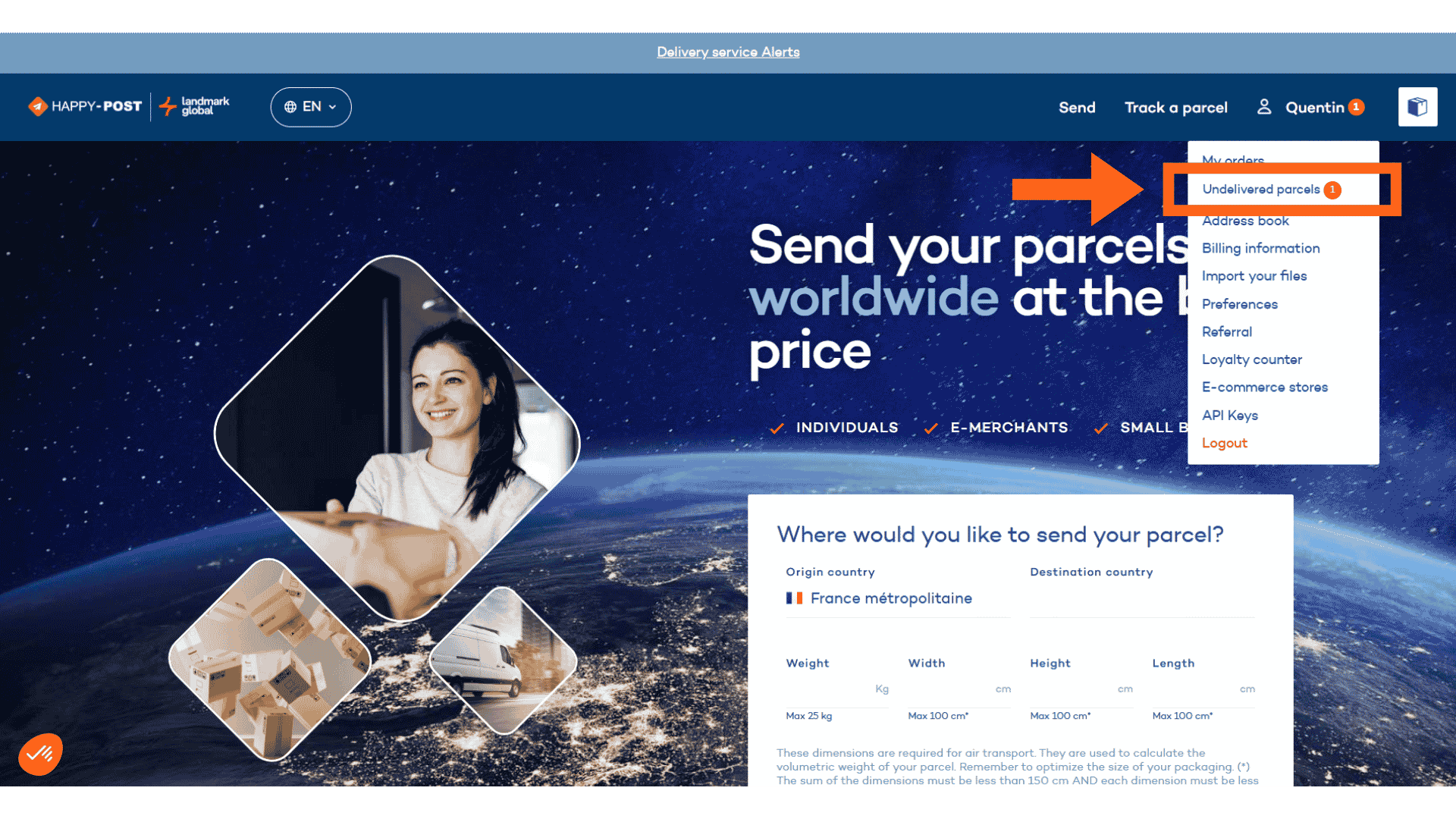
Hover your mouse over your account name in the top-right corner of the screen (for example, “Quentin”).
A small drop-down menu will appear. A notification will be displayed next to “Undelivered parcels”. Click on it to access the relevant parcels.
Step 2: Select the parcel to be re-shipped
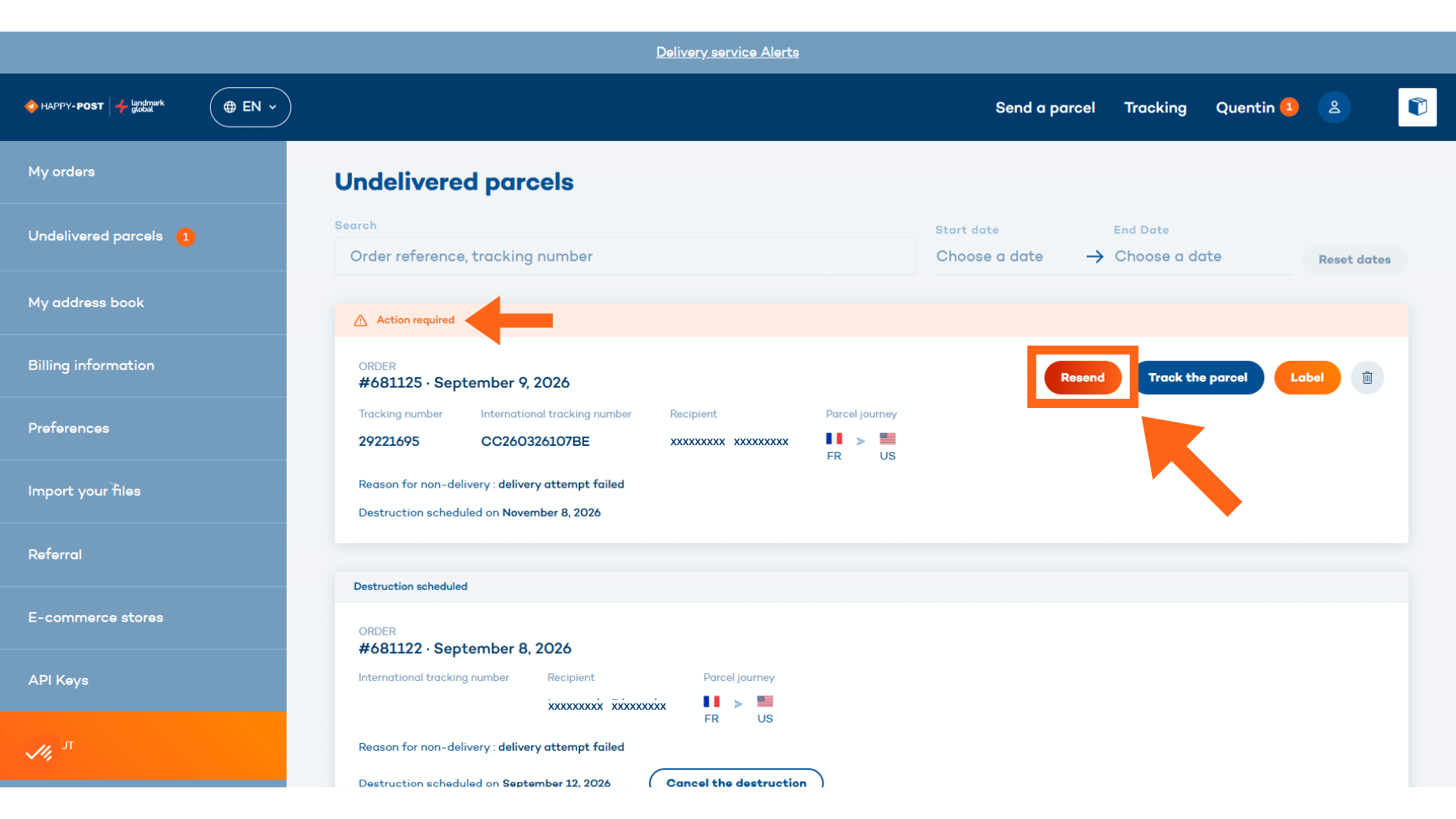
You will be taken to the list of your undelivered parcels.
The “Action required” label indicates that a parcel has been returned and that action is required from you.
Select the relevant parcel, then click “Resend”.
Step 3: Choose the action you want to take
A pop-up window will appear. Open the drop-down list and select the option you require:
- Resend to the same address: you can arrange for the parcel to be sent again to the same recipient at the same address. You will then need to select your re-shipment service (e.g. DDP home delivery or express delivery).
- Resend to a new address: you can arrange for the parcel to be sent to a new address. You will need to select the desired address from your address book.
- Return to sender: you can request that the parcel be returned to your address as the sender. You will then need to select your return service (e.g. home delivery with tracking and signature).
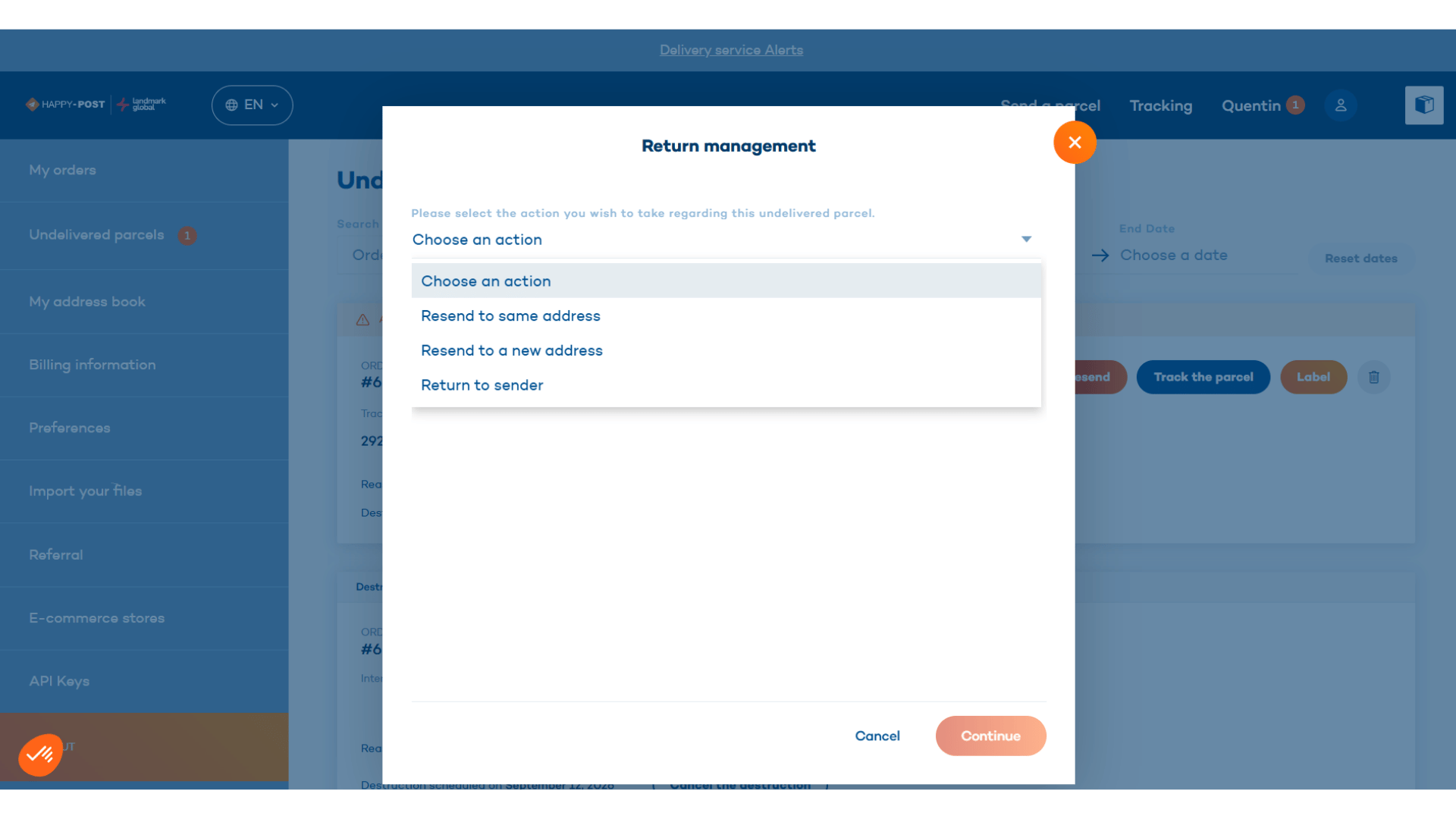
Once you have selected your preferred option, click “Continue” to confirm.
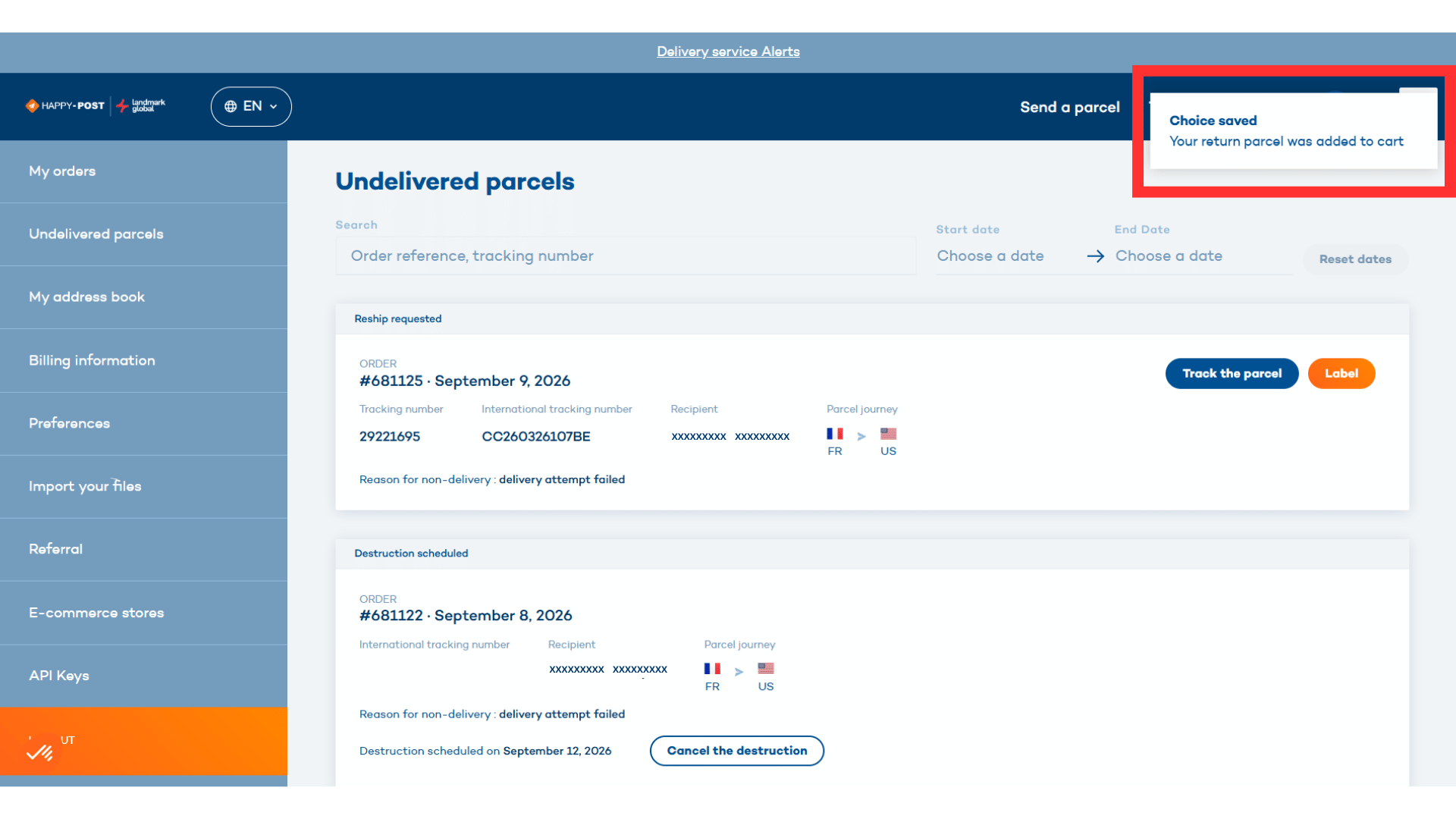
A “Choice saved” notification will then appear in the top-right corner of the screen, next to your basket.
Step 4: Finalise your shipment
To finalise your request, go to your basket and click “Pay”.
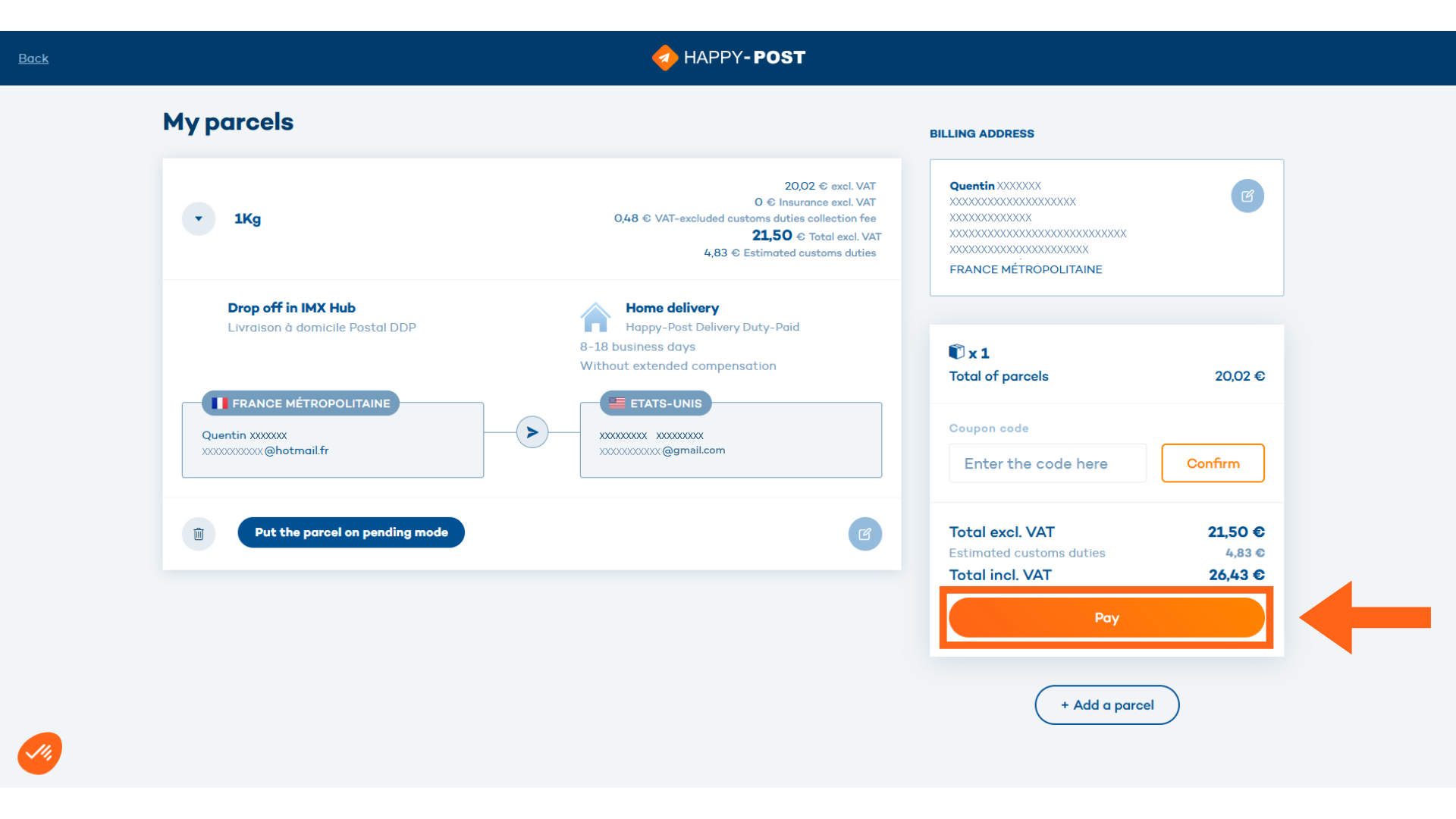
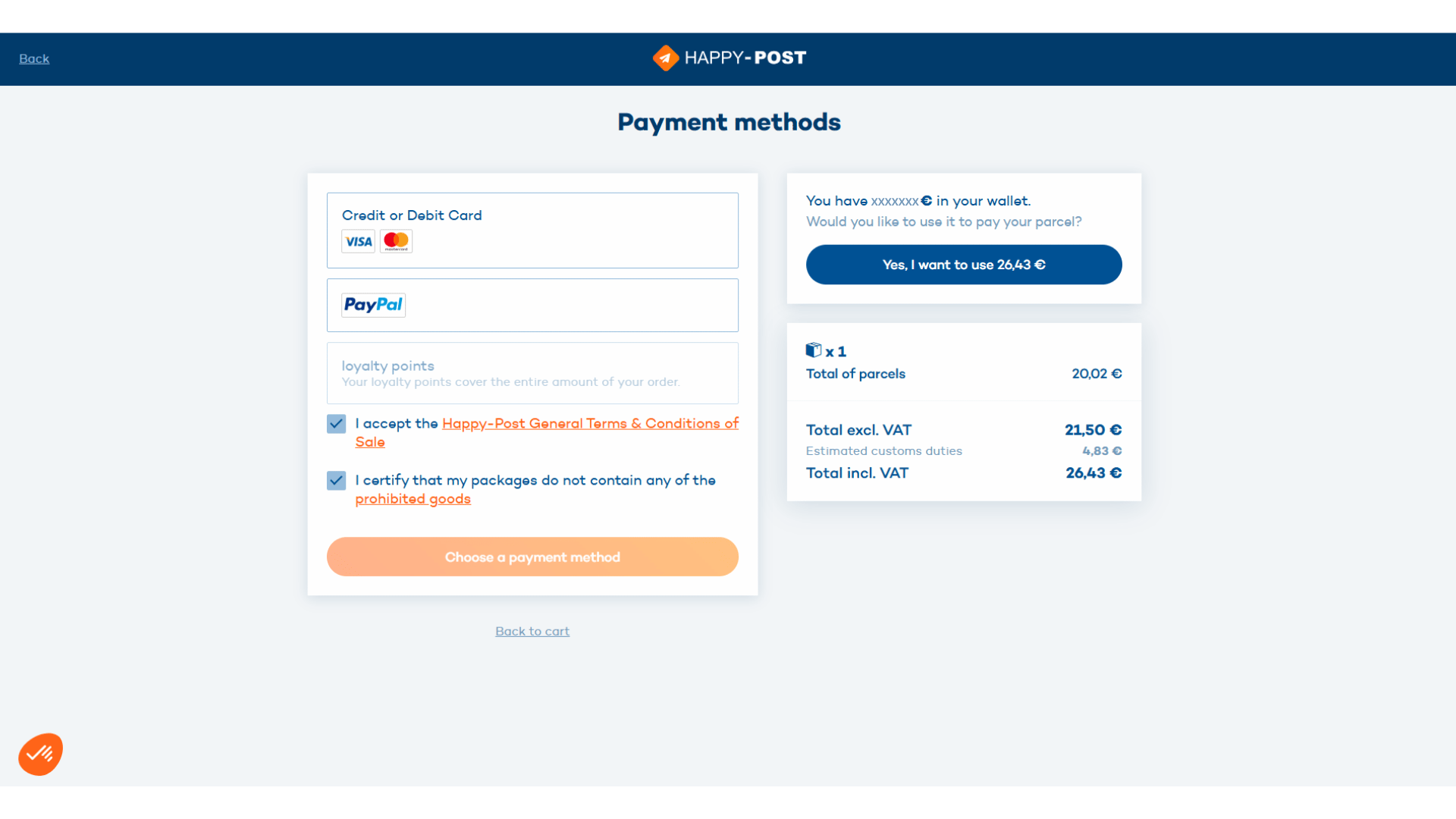
Next, select your preferred payment method from the available options: bank card, PayPal or your wallet balance, if you have sufficient funds available.
Accept the terms and conditions, then confirm your payment to finalise the shipment.
Please note
If you change your mind after registering your chosen option, you can delete the shipment from your basket at any time by clicking the bin icon on the left.
The notification will then reappear in the “Undelivered parcels” section, allowing you to start the process again and select a different option.
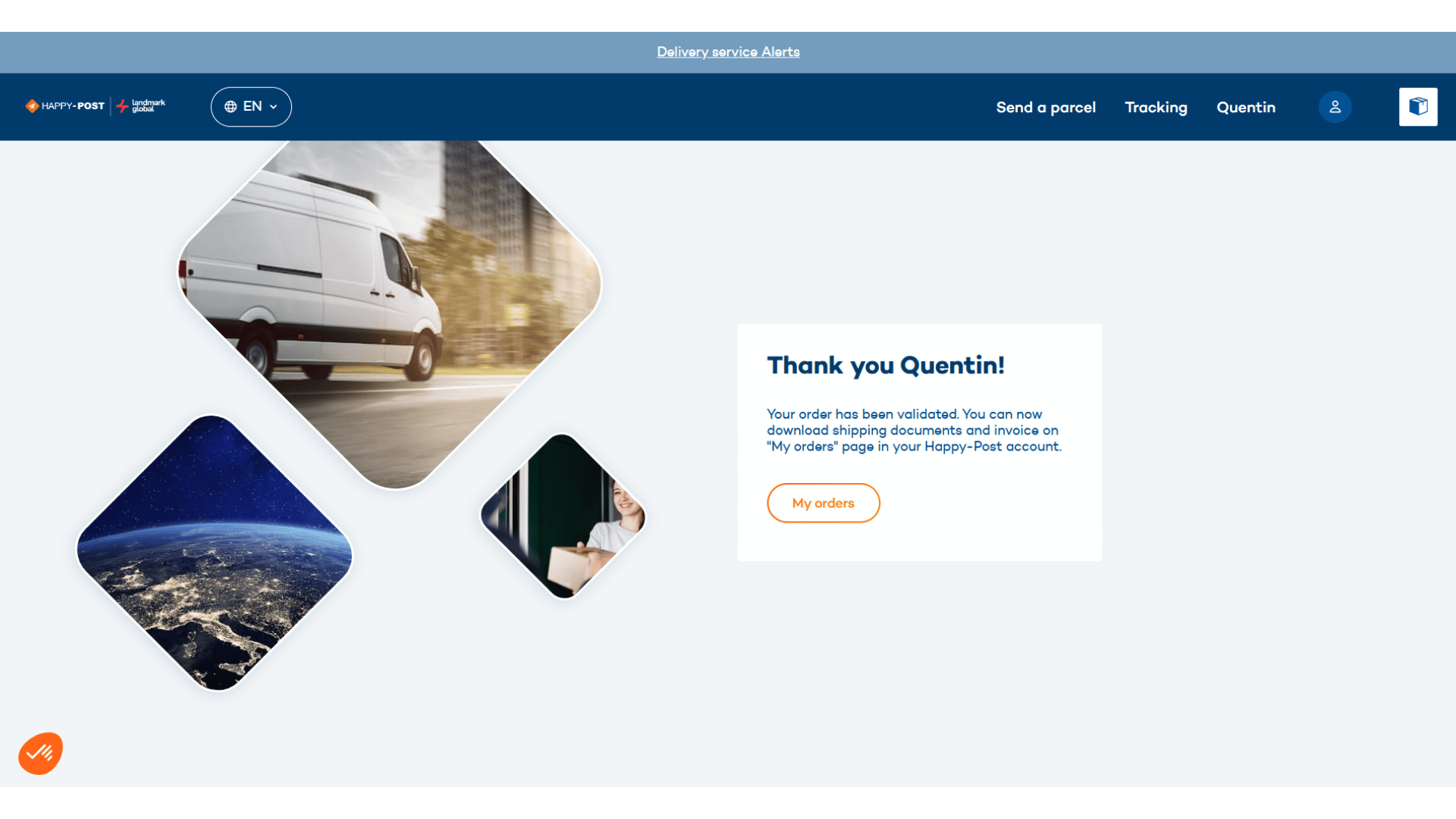
Your new shipment has now been registered! Happy-Post will take care of your parcel according to the option you selected.
Do you have another parcel to send? Take advantage of Happy-Post’s shipping solutions to easily send parcels across the UK, France and internationally, depending on your needs.
Send your parcel with Happy-Post today.